
Best-call Library Agent
Catch the calls that score in the top decile, keep the ninety-second moment that made each one good, and file it by scenario and objection so enablement can find and share it.
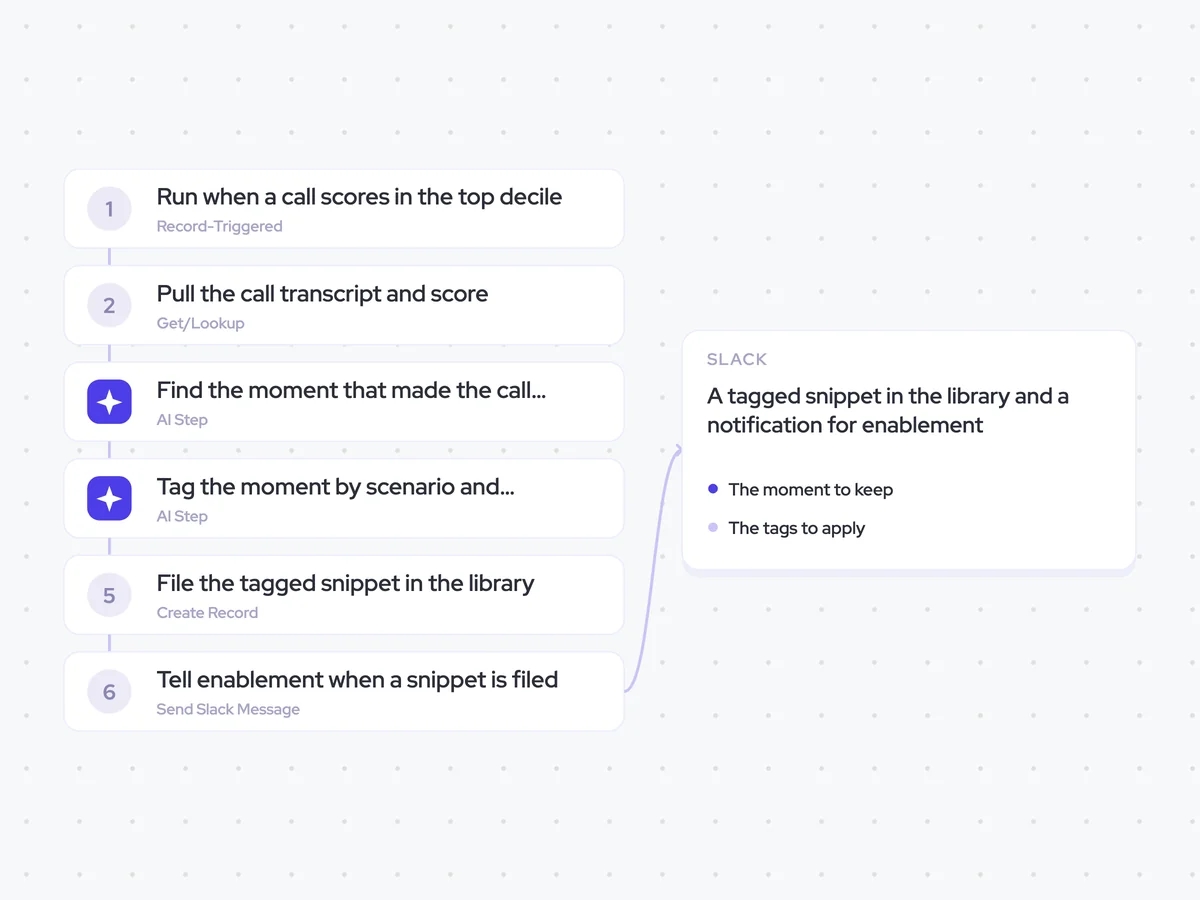
- Trigger: a call scores in the top decile
- AI steps: find the moment that made the call score well, then tag it
- Output: a tagged snippet in the library and a notification for enablement
Agent breakdown
A blueprint to adapt, not a fixed recipe. Set the trigger, thresholds, and methodology that fit your team, and each step builds on the last, using the conversation and CRM context you already capture.
Run when a call scores in the top decile
The agent runs when a call scores in the top decile. Limiting the workflow to these calls keeps the library focused on examples that are worth finding and sharing.
- Trigger: A call scores in the top decile
- Include: Only calls in the top decile
Pull the call transcript and score
Next, the agent pulls the transcript and the score that triggered the workflow. The score points it towards what made the call stand out, while the transcript gives it the conversation needed to find that moment.
- Call: The call that scored in the top decile
- Pull: The transcript and the score that flagged it
Find the moment that made the call score well
Using the transcript and score, the agent finds the ninety-second moment that best shows why the call scored well. It also explains what the rep did in that section, so enablement can understand why the clip is useful.
You are finding the strongest moment in a high-scoring sales call.
Input: the call transcript and the score that placed the call in the top decile.
- Find the ninety-second section that best shows what made the call score well.
- Identify the start and end timestamps for that section.
- Explain in plain language what the rep did well during the selected moment.
Rules: use only the call transcript and its score. Select one continuous ninety-second section. Do not add actions or details that are not present in the transcript.
Return the start timestamp, end timestamp, selected transcript section, and a short explanation of what the rep did well.
Tag the moment by scenario and objection
From that selected moment, the agent applies tags for the scenario and the objection it answers. It uses the existing tag set, which keeps similar clips grouped together and makes the library easier to search.
You are tagging a selected moment from a high-scoring sales call.
Input: the ninety-second call moment, the explanation of what the rep did well, and the existing tag set.
- Choose the existing tag that best describes the scenario in the clip.
- Choose the existing tag that best describes the objection the clip answers.
Rules: use only tags from the existing tag set. Keep each tag exactly as written. Do not create, rename, or combine tags.
Return the selected scenario and objection tags using their exact names from the existing tag set.
File the tagged snippet in the library
Next, the agent creates a separate record for the selected clip and files it with its scenario and objection tags. Keeping each clip as its own tagged record makes the library searchable when enablement needs an example for a specific situation.
- Creates: One tagged snippet record for each selected clip
- Stores: The ninety-second clip and its scenario and objection tags
Tell enablement when a snippet is filed
When a new snippet is filed, the agent sends a message to the enablement Slack channel. This lets the team know there is a new example in the library instead of leaving it there to go unnoticed.
- Channel: Enablement
- Sends when: A tagged snippet is filed
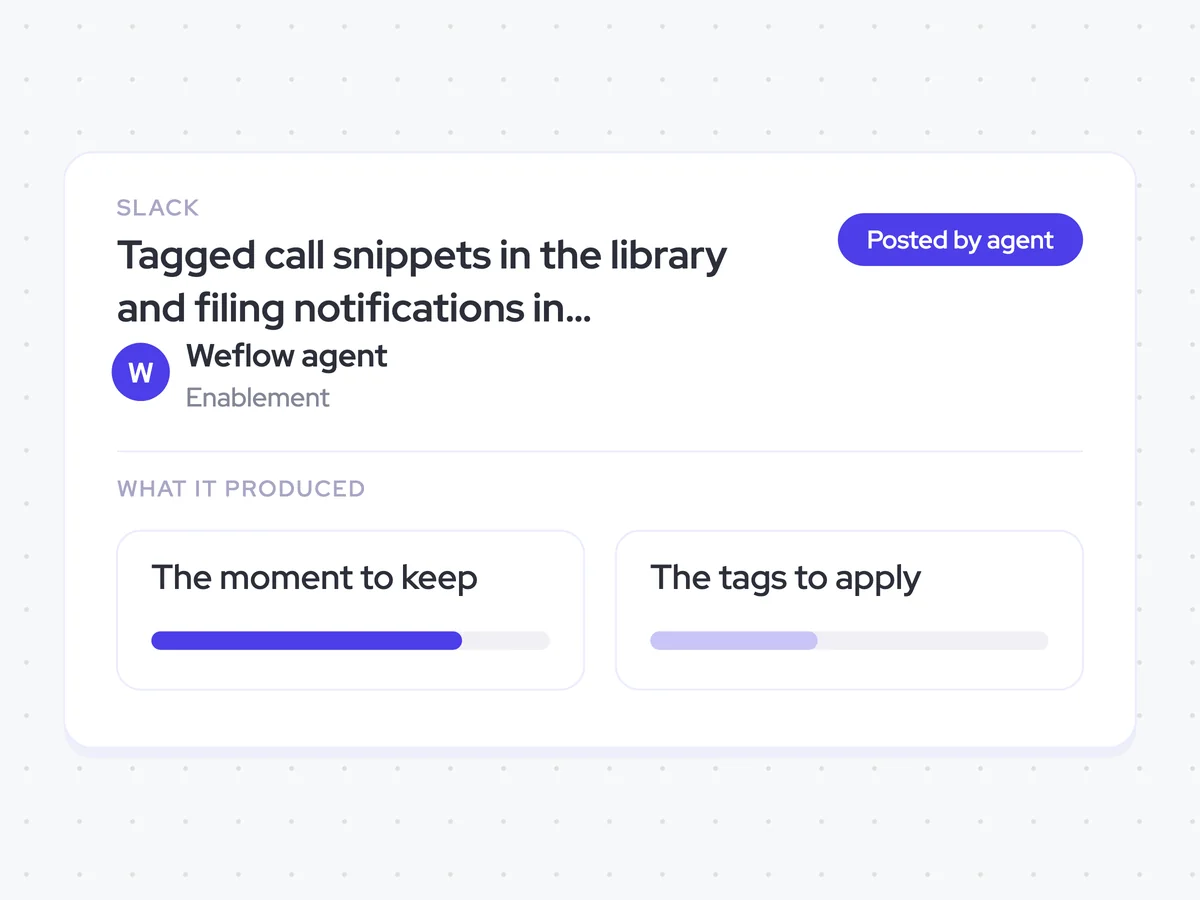
Tagged call snippets in the library and filing notifications in enablement Slack
Give enablement a searchable library of ninety-second moments from calls that scored in the top decile. Each snippet is filed by scenario and objection, and the team hears about it in Slack as soon as it is added.
- For enablement: Find strong call examples by scenario or objection and share them with the next rep who needs one.
AI Agents that pair well
Same data, different jobs. Run them together for a fuller picture.

Learn more about GTM & Revenue Operations
RevOps Lab Podcast


50+ Free GTM & RevOps Cheat Sheets

Free RevOps Community (1k+ members)
.webp)