
Activity Capture Agent
Match external emails and meetings to the right deal, log them on its activity timeline, and create any contacts missing from the CRM.
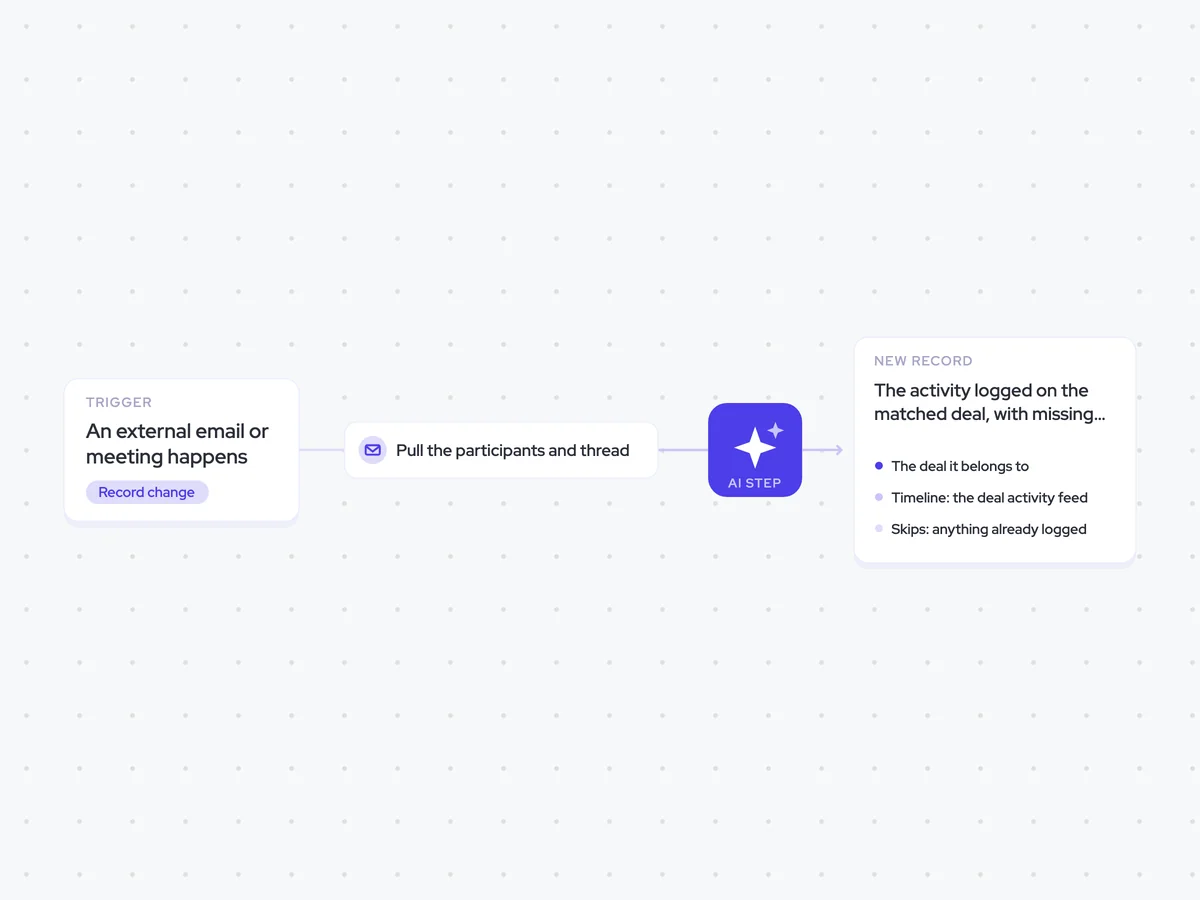
Trigger: an external email or meeting happens
AI steps: match the activity using participant domains and thread history
Output: the activity logged on the matched deal, with missing contacts created and linked
Agent breakdown
A blueprint to adapt, not a fixed recipe. Set the trigger, thresholds, and methodology that fit your team, and each step builds on the last, using the conversation and CRM context you already capture.
Run on every email and meeting
The agent starts when an external email or meeting happens. This fills the activity timeline automatically, so logging does not depend on a rep remembering to do it.
Trigger: An external email or meeting happens
Includes: External emails and meetings
Pull the participants and thread
Next, the agent pulls the participants, their domains, and the full thread history since the last sync. The domains help identify the account, while the conversation history gives the matching step enough context to find the right deal.
Thread: The full history
Window: Since the last sync
Excludes: Internal-only threads
Match it to a deal or account
Using the participant domains and thread history, the agent matches the activity to the deal it belongs to. If more than one open deal matches, it returns none rather than guessing and names the deals that were in contention.
Match this email or meeting to an open deal using the participant domains and the full thread history.
Check the domains against the accounts connected to open deals. Use the thread history to confirm which deal the conversation concerns.
Return the matched deal when one open deal clearly matches the activity.
If more than one open deal matches, return none rather than guessing and name the deals that were in contention.
If no open deal matches, return none.
Return the matched deal, or none. If more than one open deal matches, also return the names of the deals that were in contention.
Log it on the matched deal
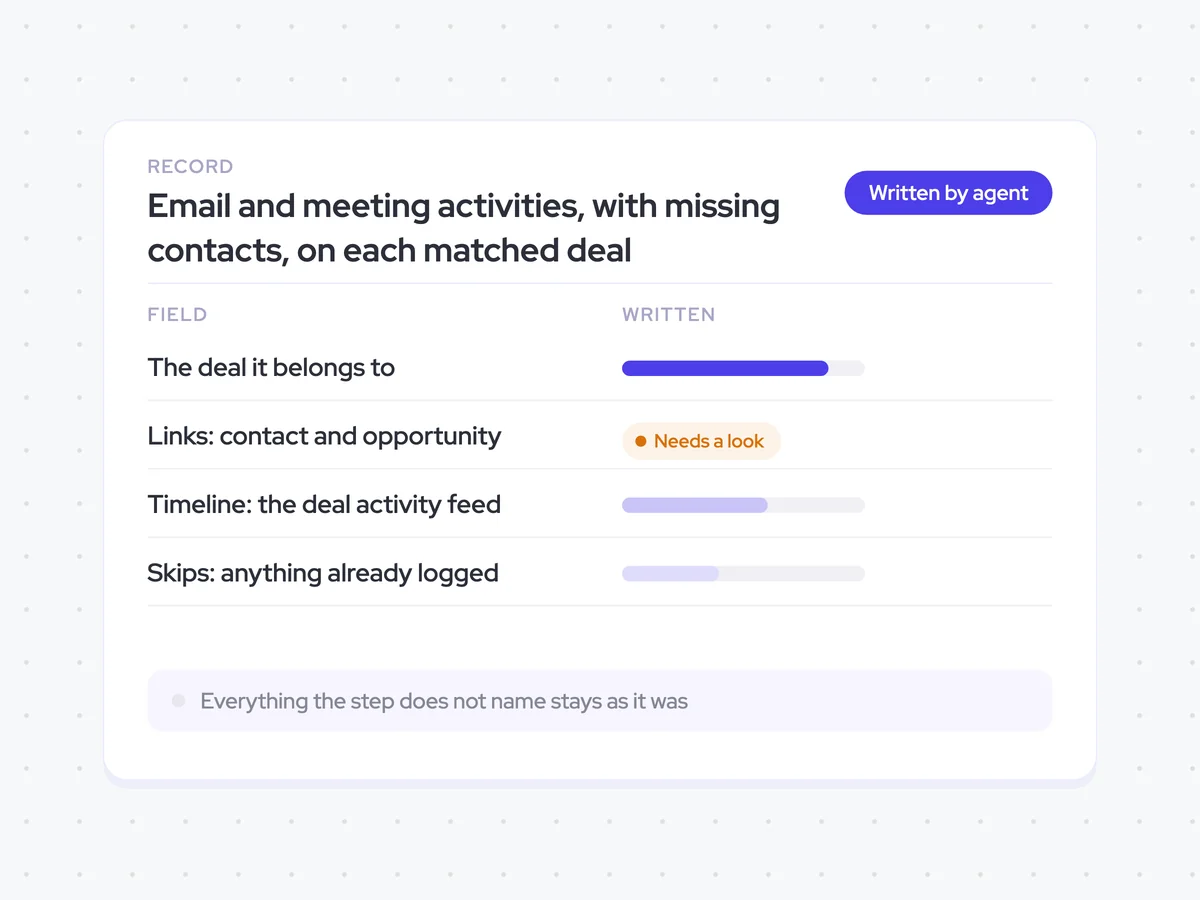
Once it finds one clear match, the agent creates one activity record for the email or meeting and adds it to the deal activity feed. It links the activity to both the contact and the opportunity, creates any missing contacts from the recipients or attendees, and skips the activity if it has already been logged.
Links: Contact and opportunity
Timeline: The deal activity feed
Skips: Anything already logged
Email and meeting activities, with missing contacts, on each matched deal
See external emails and meetings on the activity timeline of the deal they belong to, linked to the relevant contact and opportunity. Missing contacts are created from recipients and attendees, while activities already in the CRM are left untouched.
For RevOps: Keep deal activity timelines and contact records complete without relying on reps to log each interaction.
AI Agents that pair well
Same data, different jobs. Run them together for a fuller picture.


Learn more about GTM & Revenue Operations
RevOps Lab Podcast


50+ Free GTM & RevOps Cheat Sheets

Free RevOps Community (1k+ members)
.webp)