
Time-to-value Agent
Measure the days from go-live to the first defined value milestone, compare the result with what the segment normally takes, and send it to the CS lead.
- Trigger: a value milestone is reached
- AI steps: count the days and compare them with the segment benchmark
- Output: time to value saved to the account and sent to the CS lead
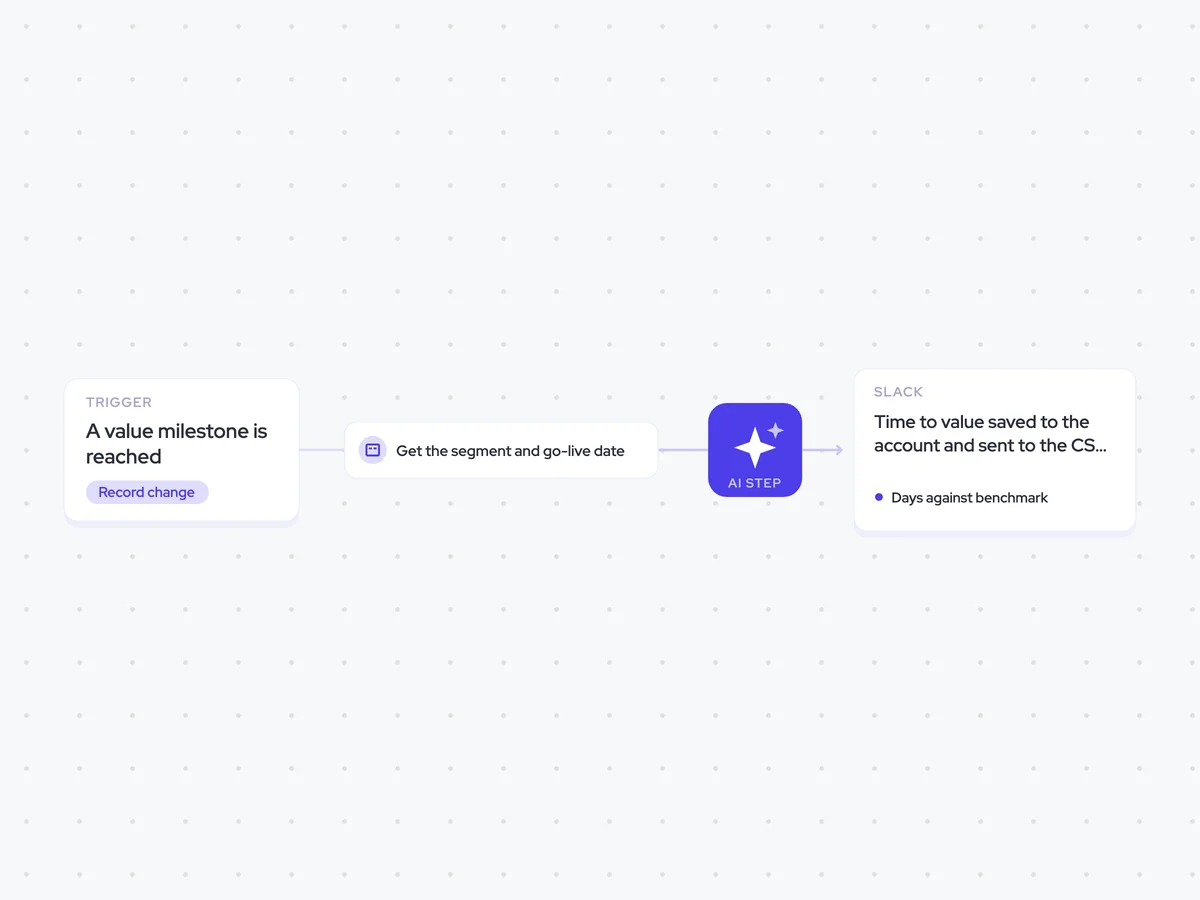
Agent breakdown
A blueprint to adapt, not a fixed recipe. Set the trigger, thresholds, and methodology that fit your team, and each step builds on the last, using the conversation and CRM context you already capture.
Run when the value milestone is reached
When an account reaches the defined value milestone, the agent runs and uses that milestone date to stop the count. This means the result reflects the actual number of days the account took to reach value.
- Trigger: A value milestone is reached
- End date: The date the milestone was reached
Get the segment and go-live date
Next, the agent pulls the account's segment and go-live date. The go-live date starts the count, while the segment determines which benchmark the result is compared with.
- Field: Account segment
- Field: Go-live date
Count the days and compare the benchmark
With both dates and the segment in hand, the agent counts the days from go-live to the value milestone and sets the result against the segment benchmark. It also says plainly when the segment has too few accounts for that benchmark to mean anything.
You are calculating how long an account took to reach its first defined value milestone.
Input: the account's go-live date, the date the value milestone was reached, its segment, and the benchmark for that segment.
- Count the number of days from the go-live date to the milestone date.
- Compare that result with what the segment normally takes.
- Explain plainly whether the account reached the milestone faster or slower than the segment benchmark.
- If the segment has too few accounts for the benchmark to mean anything, say so clearly.
Return the number of days, the segment benchmark, a plain comparison, and any warning about the number of accounts behind the benchmark.
Save the time to value on the account
The agent saves the number of days to the account's time-to-value field. Keeping the result on the account makes it possible to read the pattern across a segment without asking anyone to find the dates and calculate it again.
- Update: Time-to-value field
- Destination: The account that reached the milestone
Send the comparison to the CS lead
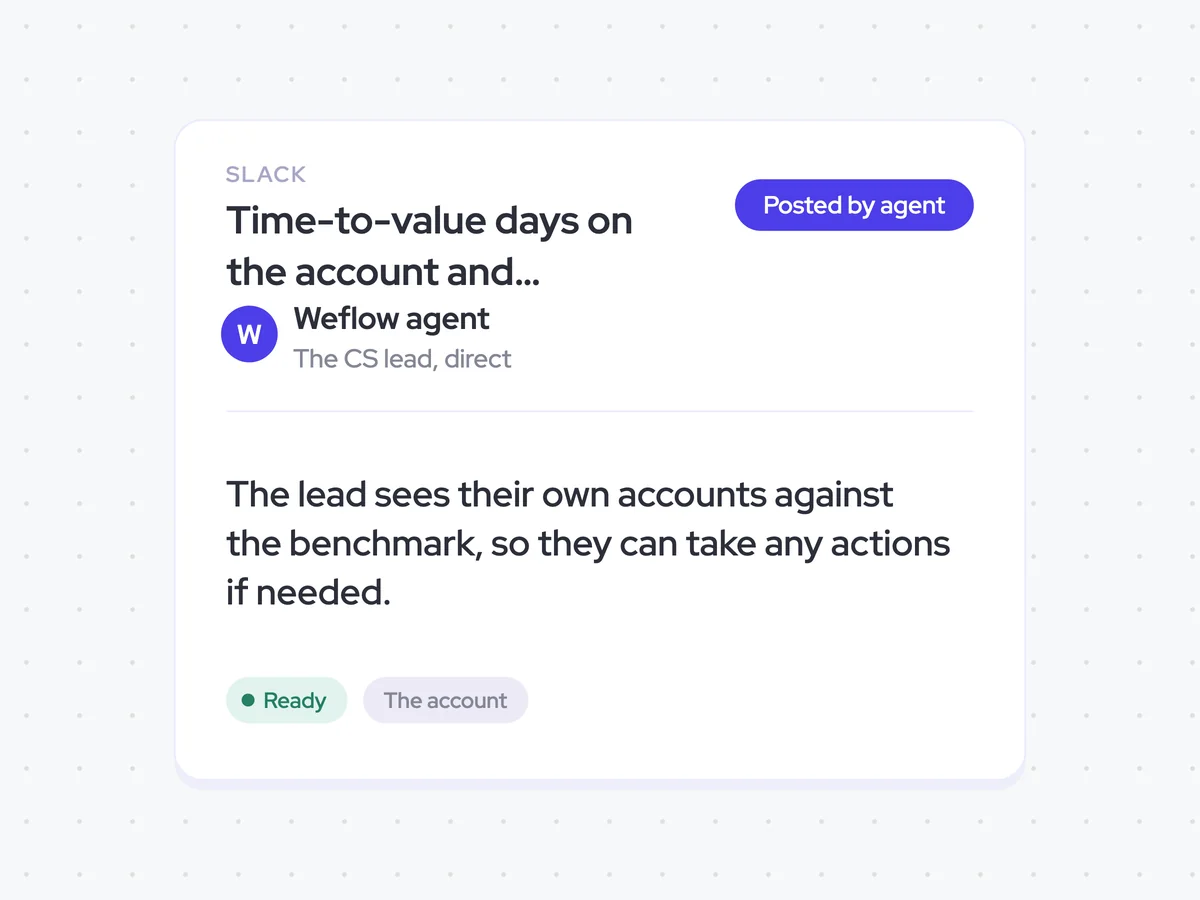
Finally, the agent sends the CS lead a direct Slack message showing the account's time to value against the segment benchmark. The lead can see how their account compares and take action if needed.
- Recipient: The CS lead for the account
- Channel: Direct Slack message
- Include: Time to value and the segment benchmark comparison
Time-to-value days on the account and benchmark comparison in Slack
See how many days each account took to reach its first defined value milestone and how that compares with the segment benchmark. The result is saved on the account, and the CS lead receives the comparison directly in Slack, including a clear warning when the segment has too few accounts for the benchmark to mean anything.
- For Customer Success: Check which accounts reached value faster or slower than the segment benchmark and take action where needed.
AI Agents that pair well
Same data, different jobs. Run them together for a fuller picture.


Learn more about GTM & Revenue Operations
RevOps Lab Podcast


50+ Free GTM & RevOps Cheat Sheets

Free RevOps Community (1k+ members)
.webp)