
Scenario Modelling Agent
Build best case, commit, and worst case from the signals underneath every open deal, so leadership can debate which deals separate the numbers instead of moving one percentage up and down.
- Trigger: end-of-quarter planning
- AI steps: score each deal, then roll the probabilities into three scenarios
- Output: three scenario numbers and the deals that separate them, emailed to leadership
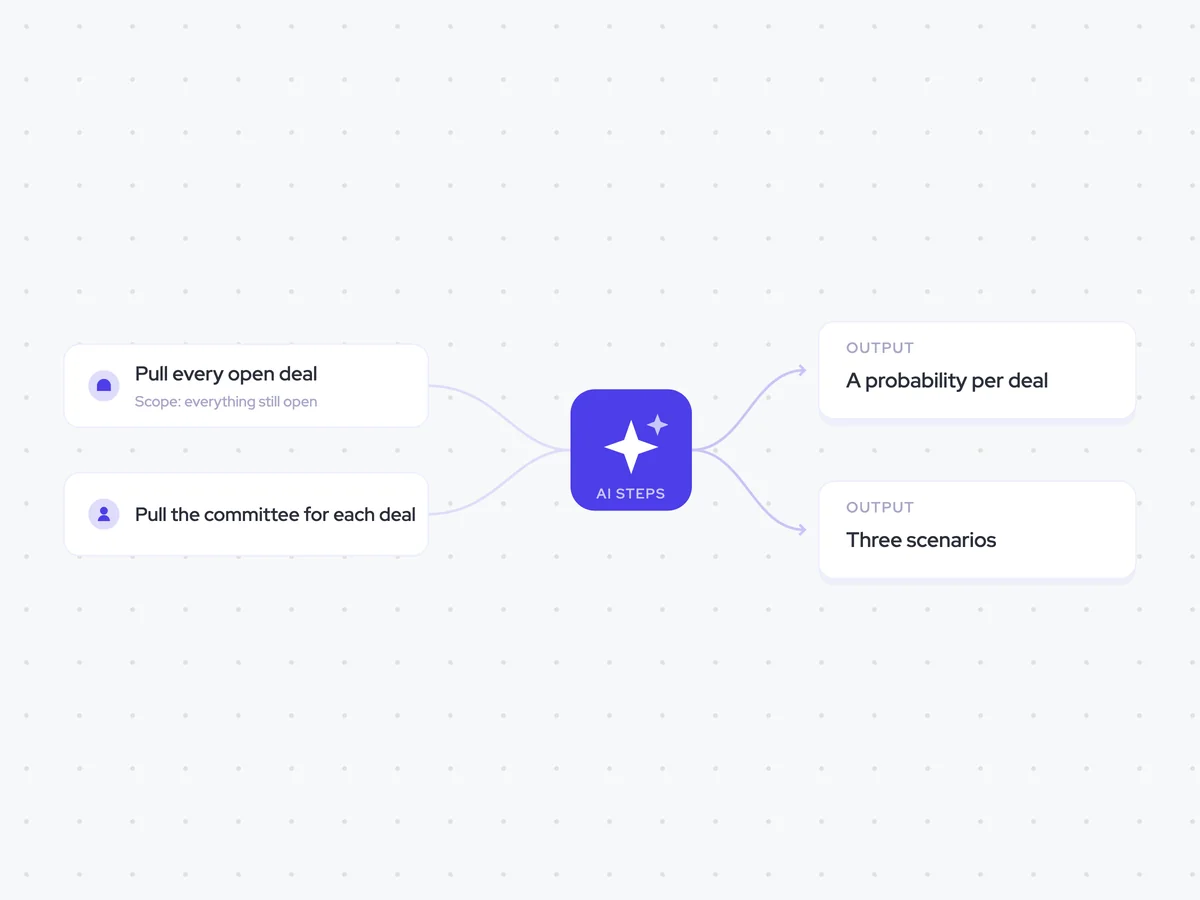
Agent breakdown
A blueprint to adapt, not a fixed recipe. Set the trigger, thresholds, and methodology that fit your team, and each step builds on the last, using the conversation and CRM context you already capture.
Run once at end-of-quarter planning
At end-of-quarter planning, the agent runs once to build a fixed set of scenarios. It does not recalculate them every day, so leadership can compare three deliberate views of the quarter rather than a scenario that keeps moving.
- Trigger: End-of-quarter planning
- Cadence: Once at planning, not daily
Pull every open deal
Next, the agent pulls every opportunity that is still open, not just the deals in commit. That full scope matters because a worst case built only from commit deals would leave out the rest of the open pipeline.
- Scope: Every open opportunity
- Include: Open deals whether or not they are in commit
- Exclude: Closed opportunities
Pull the committee for each deal
The agent then pulls the buying committee linked to each open deal. The scoring step uses that coverage to see how well each deal is threaded, which helps separate a real commit from a hope.
- Scope: The buying committee for each open deal
- Include: The contacts linked to each deal's committee
Score each deal from its own signals
For every open deal, the agent assigns a probability from that deal's own signals, including how well it is threaded across the buying committee. It never substitutes the default probability for the opportunity's stage, so each score reflects the deal underneath it.
Give each open deal a probability based on its own deal-level signals.
Input: every open opportunity and the buying committee linked to each deal.
- Assess each deal separately using its own signals.
- Use how well the deal is threaded across the buying committee as one of those signals.
- Never use the stage default as the answer.
Return one row per open deal with the deal name and its probability.
Build best case, commit, and worst case
Using the deal-level probabilities, the agent rolls the open opportunities into best case, commit, and worst case. It names the deals that move between the scenarios, so leadership can see exactly what separates one number from the next.
Build best case, commit, and worst case from the deal-level probabilities produced in the previous step.
Input: every open deal and its probability.
- Build each scenario from the deals underneath it.
- Do not create the scenarios by moving one overall percentage up or down.
- Name the deals that move between best case, commit, and worst case.
Return the three scenario numbers, followed by the deals that separate them.
Send the scenarios to leadership
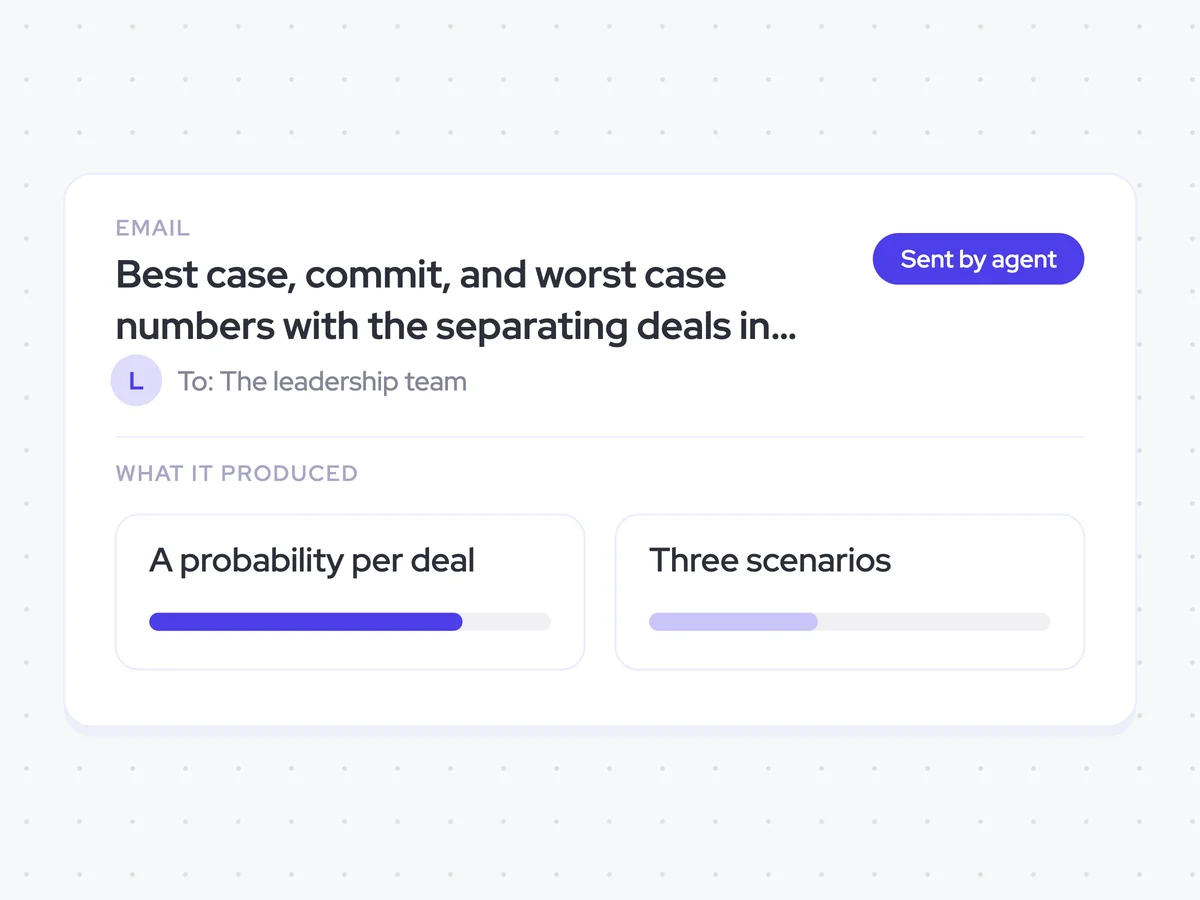
Finally, the agent emails the leadership team the three scenario numbers and the deals that separate them. Keeping the deal names next to the totals makes the discussion about which opportunities move the forecast.
- Recipients: The leadership team
- Include: Best case, commit, and worst case numbers
- Include: The deals that separate the three scenarios
Best case, commit, and worst case numbers with the separating deals in the leadership team's inbox
Get three views of the quarter at planning, each built from the open deals and their own probabilities. The email shows which deals separate best case, commit, and worst case, so you can discuss the opportunities behind each number.
- For sales leaders: Compare the scenarios and focus the forecast discussion on the deals that move between them.
AI Agents that pair well
Same data, different jobs. Run them together for a fuller picture.

Learn more about GTM & Revenue Operations
RevOps Lab Podcast


50+ Free GTM & RevOps Cheat Sheets

Free RevOps Community (1k+ members)
.webp)