
Deal Momentum Agent
Learn each account's normal email rhythm across the buying committee, and flag open deals that fall below it before the stage changes.
- Trigger: a daily check across all open deals
- AI steps: work out each account's normal rhythm, then find the deals running below it
- Output: a one-time Slack alert to the deal owner and manager

Agent breakdown
A blueprint to adapt, not a fixed recipe. Set the trigger, thresholds, and methodology that fit your team, and each step builds on the last, using the conversation and CRM context you already capture.
Run daily on all open deals
Each day, the agent checks every open deal for a drop in engagement. Decay tends to happen gradually, so the daily schedule catches slowing deals without waiting for the stage to change.
- Schedule: Daily
- Scope: All open deals
Pull the full buying committee
Next, the agent pulls every contact on the deal. Looking beyond the champion makes it possible to see when engagement has slowed with one person or across the wider buying committee.
- Scope: Every contact on the deal
- Include: The full buying committee, not only the champion
Pull the last 90 days of email activity
The agent then pulls 90 days of email activity for the buying committee. This window is long enough to show the account's normal contact rhythm while keeping the baseline current.
- Window: The last 90 days
- Include: Email activity for contacts on the buying committee
Work out the account's normal rhythm
Using those 90 days, the agent works out the account's normal contact frequency for each person and for the buying committee overall. It ignores the first two weeks when establishing the baseline, so the next step has a normal rhythm to compare recent activity against.
You are working out an account's normal email engagement rhythm.
Input: every contact on the deal and the last 90 days of email activity for the buying committee.
- Give the normal contact frequency for each person on the buying committee.
- Give the normal contact frequency for the account overall.
- Ignore the first two weeks when calculating the normal rhythm.
Use only the contacts and email activity provided.
Return one entry for each person, followed by the account's overall normal contact frequency.
Find the deals running below their normal rhythm
The agent compares the last 14 days of activity on each open deal with that account's normal rhythm. It lists the deals running below their baseline and identifies which people on the buying committee have gone quiet.
You are finding open deals where recent email engagement has fallen below the account's normal rhythm.
Input: each open deal's normal contact frequency from the previous step and its email activity from the last 14 days.
- Compare the last 14 days with the account's baseline.
- Check the contact frequency for each person and for the buying committee overall.
- List the deals running below their normal rhythm.
- For each deal, say who on the buying committee has gone quiet.
Return a list of the deals running below their baseline, with the people who went quiet named for each deal.
Alert the deal owner and manager
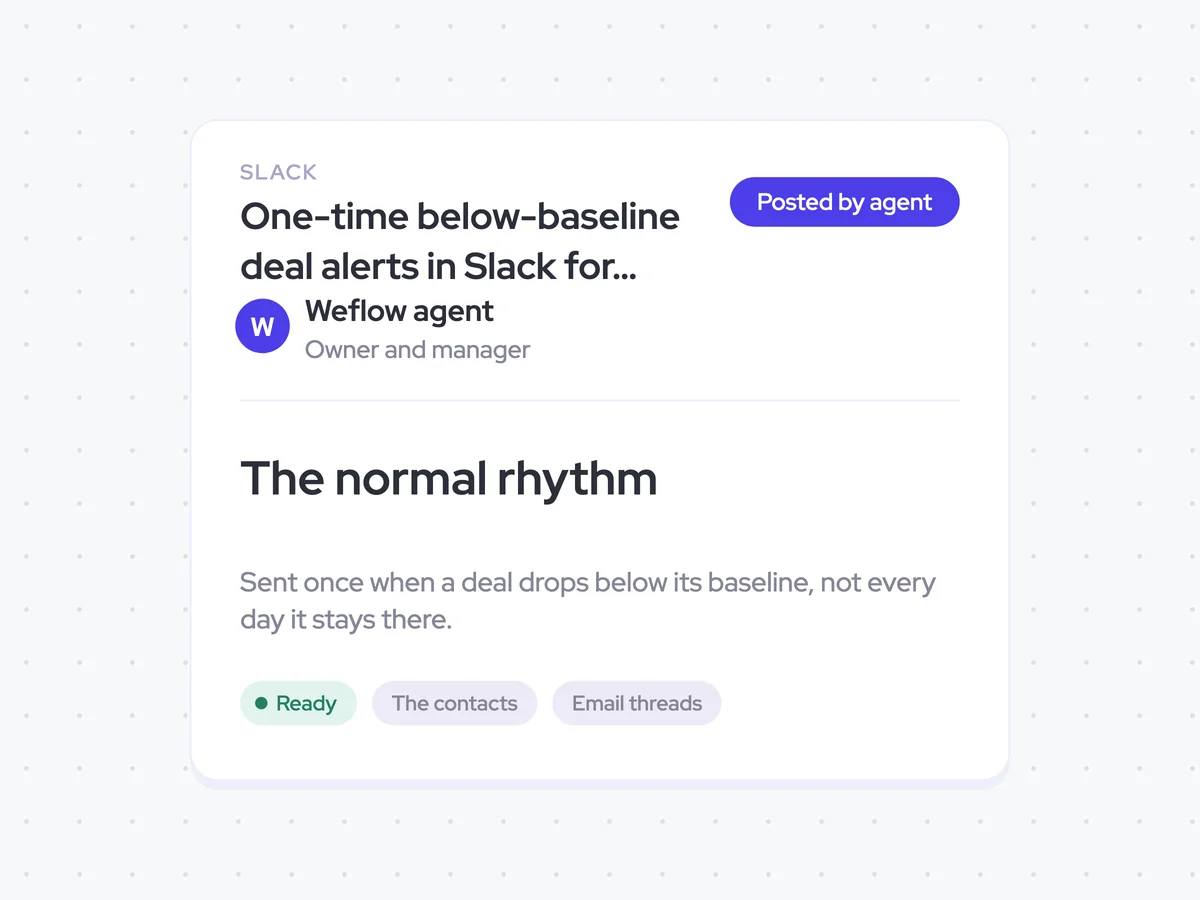
When a deal drops below its baseline, the agent sends a Slack alert to the deal owner and manager. It sends the alert once when the drop happens, rather than repeating it every day while the deal remains below its normal rhythm.
- Recipients: The deal owner and manager
- Channel: Slack
- Frequency: Once when the deal drops below its baseline
One-time below-baseline deal alerts in Slack for owners and managers
Get a Slack alert when an open deal falls below its own normal email rhythm. The alert identifies the deal and the people on the buying committee who went quiet, so you can see the slowdown before the stage changes.
- For managers: Review which deals have lost momentum and where engagement has dropped across the buying committee.
AI Agents that pair well
Same data, different jobs. Run them together for a fuller picture.

Learn more about GTM & Revenue Operations
RevOps Lab Podcast


50+ Free GTM & RevOps Cheat Sheets

Free RevOps Community (1k+ members)
.webp)